MCP
MCP is a native Ax execution surface. Attach a live AxMCPClient with mcp; AxGen, AxAgent, and AxFlow retain the owning protocol state, qualified tool identity, structured content, tasks, cancellation, and tracing. The compatibility-only function adapter is lossy and is not used by native execution.
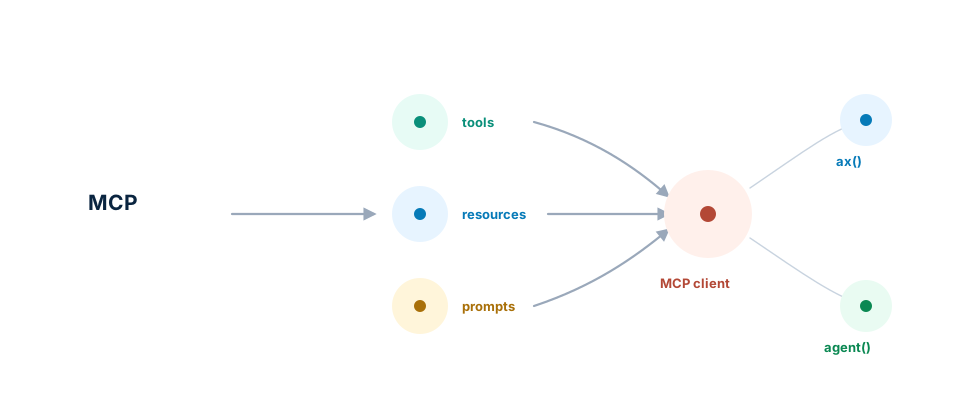
flowchart LR
  Server["MCP server"] --> Client["AxMCPClient"]
  Client --> Program["AxGen, AxAgent, or AxFlow"]
  Client --> Events["AxMCPEventSource"]
  Events --> Inbox["AxEventRuntime inbox"]
  Inbox --> Program
Stateful And Stateless Eras
The TypeScript client supports both stateful MCP 2025-11-25 and stateless
MCP 2026-07-28. Automatic era classification is the default. Legacy servers
initialize a session; modern servers answer server/discover and receive the
protocol version, method, operation name, client metadata, and tracing context
on every request.
The generated Python, Java, C++, Go, and Rust packages use the same automatic dual-era classification and modern discovery boundary. Their language-specific snippet below shows the native spelling.
const mcp = new AxMCPClient(
  new AxMCPStreamableHTTPTransport(endpoint, {
    ssrfProtection: { allowHTTP: true, allowLoopback: true },
  }),
  {
    era: 'auto',
    readCache: true,
    elicitation: async () => ({
      action: 'accept',
      content: { confirmed: true },
    }),
  }
);
const discovery = await mcp.discover();
if (mcp.getEra() !== 'modern') throw new Error('Expected modern MCP');
const mrtr = await mcp.callTool('mrtr_one_round');
discover() performs classification but returns only for a modern endpoint.
Use inspectCatalog() for code that must work in either era.
Native Tools
The client negotiates capabilities and Ax maps native tool definitions at each
model step. Modern catalog results carry TTL and cache scope. A tool may map
schema properties to request headers with x-mcp-header; Ax validates those
annotations and keeps the body and headers synchronized.
const mcp = new AxMCPClient(
  new AxMCPStreamableHTTPTransport(endpoint),
  { namespace: 'inventory' }
);
const program = ax(
  'request:string -> answer:string "Use the inventory MCP tool."',
  { mcp }
);
try {
  const catalog = await mcp.inspectCatalog();
  console.log({
    tools: catalog.tools.map(({ name }) => name),
    resources: catalog.resources.map(({ name, uri }) => ({ name, uri })),
    resourceTemplates: catalog.resourceTemplates,
  });
  await program.forward(llm, { request: 'Reindex inventory.' });
} finally {
  await mcp.close();
}
Multi Round-Trip Input
Modern operations may pause with input_required. TypeScript can fulfill
roots, sampling, and elicitation through host handlers. The generated Python,
Java, C++, Go, and Rust clients fulfill roots automatically and elicitation
through a host callback; they deliberately do not advertise sampling and reject
a truthy sampling option during initialization.
const client = new AxMCPClient(transport, {
  era: 'modern',
  roots: [{ uri: 'file:///workspace', name: 'workspace' }],
  elicitation: async (params, context) => ({
    action: 'accept',
    content: { confirmed: true },
  }),
});
const result = await client.callTool('mrtr_one_round');
Subscriptions Can Wake Programs
AxMCPEventSource converts protocol notifications into normal event ingress. A notification is durable before acknowledgement when the configured store supports it. Nothing wakes a model until an explicit authenticated route selects wake.
The endpoint is only the address. inspectCatalog() discovers server-owned
resource names and URIs, while an explicit none/all/URI/selector policy decides
what the source maintains. Legacy clients use subscription requests and
resumable GET/SSE; modern clients put their interests in a long-running
subscriptions/listen POST. See MCP Subscriptions for catalog selection, URI templates, ownership, reconnect, and troubleshooting.
const source = new AxMCPEventSource({
  client: mcp,
  resourceSubscriptions: 'all',
  identity: { tenantId: 'demo' },
  trust: 'authenticated',
});
const target = eventTarget('inventory-agent')
  .program(program)
  .ai(llm)
  .input((input) => input.field('uri', eventPath.data('uri')))
  .forwardOptions({ mcp })
  .build();
const runtime = eventRuntime({
  allowVolatile: true,
  sources: [source],
  routes: [
    eventRoute('resource-wake')
      .types('mcp.resource.updated')
      .authenticated()
      .instanceKey(eventPath.subject())
      .wake(target)
      .build(),
  ],
});
await runtime.start();
MCP sessions do not establish application tenant identity. Supply identity from the OAuth-token or account mapping. Unmapped notifications remain anonymous and cannot match routes requiring authentication.
Tasks Resume Continuations
Modern Tasks v2 work is server-directed. callTool() auto-awaits an unsolicited
task by default; applications can expose it, submit requested input with
provideTaskInput(), or cancel it. Task progress and logs default to observe.
An input_required or terminal task event correlates as namespace:taskId and
can atomically consume the continuation owned by a prior AxFlow or Agent run.
Polling remains available because MCP task notifications are optional.
const mcpSource = new AxMCPEventSource({
  client,
  identity: { tenantId: 'demo' },
  trust: 'authenticated',
});
const runtime = eventRuntime({
  allowVolatile: true,
  sources: [push, mcpSource],
  routes: [
    eventRoute('start-reindex-flow')
      .types('job.reindex.requested')
      .wake(target)
      .build(),
    ...axMCPEventRoutes({ client }),
  ],
});
await runtime.start();
await push.publish({
  event: {
    specversion: '1.0',
    id: 'reindex-request-1',
    source: 'app://inventory',
    type: 'job.reindex.requested',
  },
  identity: { tenantId: 'demo' },
  trust: 'authenticated',
});
Transports, Authentication, And Server Requests
Ax supports stdio, Streamable HTTP, legacy HTTP/SSE, and custom WebSocket transports. Native clients also expose prompts, resources, templates, subscriptions, completions, roots, elicitation, multi round-trip requests (MRTR), progress, cancellation, Tasks v2, OAuth, MCP Apps, client credentials, and enterprise-managed authorization. Sampling and legacy inbound elicitation remain TypeScript-only.
Transport listeners are supervised and nonblocking. Legacy reconnect resumes
with Last-Event-ID when available and restores logical subscriptions. Modern
reconnect issues a fresh subscriptions/listen request without session or
resume headers. Caller-owned clients remain caller-owned and must be closed.
Safety
- Treat prompt and resource content as attributed, untrusted context.
- Require application identity for tenant routes; never derive it from an MCP session id.
- Authorize side-effecting tools from annotations, arguments, task context, and caller identity.
- Treat schema-derived request headers as routing data, not authorization.
- Do not blindly replay an uncertain post-side-effect failure.
- Use recording/replay or a sandbox for optimization and evaluation.
See MCP Subscriptions, Event Runtime, Tools, ax() generation, and agent() agents.
Custom WebSocket MCP bindings are supported in all six languages through
AxMCPWebSocketTransport. Pending requests settle on response, send failure,
cancellation, or close. Cleanup is scoped to the originating request, so reusing
an ID after settlement is safe; active IDs must remain unique. Batch messages
require MCP 2025-03-26. Python uses its realtime extra, C++ uses
AXLLM_ENABLE_REALTIME, and Rust uses the realtime feature for built-in sockets.
Java and Go include native sockets; every target also accepts a socket factory.